Ratibi Card Salary Check: Complete Guide for UAE Workers
If you get paid through a Ratibi card in the UAE, checking your salary balance should be quick and simple. This guide covers every way to check your Ratibi card salary, what to do if your salary is missing, and answers to the most common questions workers ask.
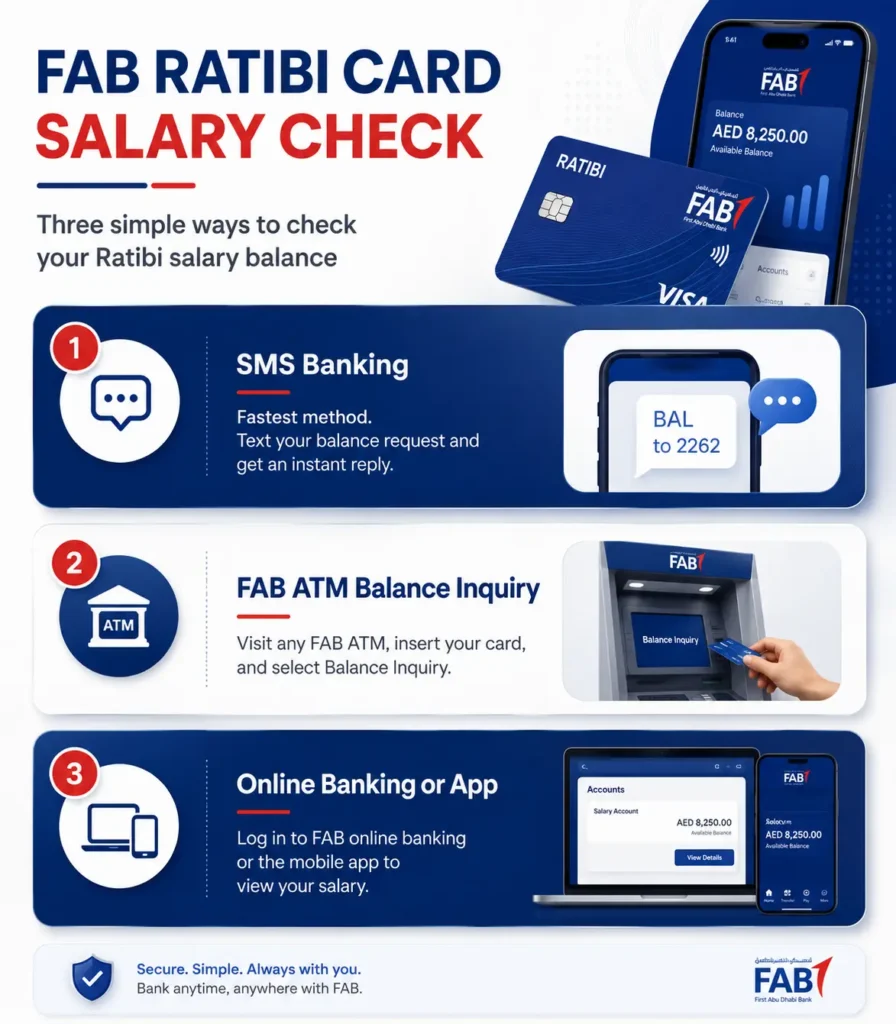
Quick answer: You can check your Ratibi card salary through the Ratibi balance enquiry portal, a FAB ATM, the Payit app, or by sending an SMS. You will usually need your card number and Card ID.
What Is a Ratibi Card?
A Ratibi card is a prepaid salary card issued by First Abu Dhabi Bank (FAB). It is made for workers who earn a monthly salary of AED 5,000 or less. Many companies in the UAE use Ratibi cards to pay staff under the Wage Protection System (WPS).
Workers do not need a full bank account to get a Ratibi card. This makes it a common choice in industries like:
- Construction
- Cleaning and maintenance services
- Hospitality and hotels
- Security services
- Logistics and delivery
- Retail and small businesses
If your company pays your wages this way, your salary goes straight onto your Ratibi card each month.
How to Check Ratibi Card Salary Balance Online
The main online method is the official Ratibi prepaid card balance enquiry portal.
Steps to check your Ratibi salary online:
- Go to the official Ratibi balance enquiry page.
- Enter the last 4 digits of your Ratibi card number.
- Enter your Card ID. This code is printed on the front or back of your card.
- Complete the captcha box to prove you are not a robot.
- Click submit to view your current balance.
What the result shows:
- Your current available balance
- Your last few transactions
- Whether your card is active
This method does not need a full bank account or online banking login. It works well for workers who only have a prepaid card.
How to Check Ratibi Salary Balance at an ATM
If you do not have internet access, an ATM is the easiest offline option.
Steps to check Ratibi balance at an ATM:
- Insert your Ratibi card into any supported ATM.
- Enter your 4-digit PIN.
- Choose Balance Inquiry from the menu.
- View your balance on the screen, or print a receipt.
This works well right after payday if you want quick proof your salary has arrived.
How to Check Ratibi Salary Balance Using the Payit App
Payit is a digital wallet app made by FAB. Many Ratibi cardholders use Payit to manage their salary without needing a full bank account.
Steps to check your balance on Payit:
- Download the Payit app from the Google Play Store.
- Open the app and log in, or sign up as a new user.
- Choose Ratibi Card Holder during setup if you are new.
- Link your Ratibi card using your card number and Emirates ID.
- Confirm the link using the OTP sent to your phone.
- Tap Wallet Balance to see your salary.
Payit also lets you send money, pay bills, and shop, all from your salary card.
How to Check Ratibi Salary Balance by SMS
Some Ratibi cardholders can check their balance with a text message, if registered for this service.
Steps:
- Make sure your mobile number is registered with your Ratibi card.
- Send the balance enquiry keyword to the SMS banking shortcode, as given at registration.
- Wait for a text back with your balance.
If you never registered for SMS banking, visit a branch or call support to set it up.
How to Check Ratibi Salary Balance by Phone
You can also check your balance by calling support and using the automated phone system.
Ratibi support numbers:
- Inside UAE: 600 522298
- Outside UAE: +971 2 4996279
Steps:
- Call the number above.
- Choose your language.
- Select Balance Inquiry.
- Enter your card details when asked.
- Listen for your balance.
This method works well if you are new to the UAE and not yet comfortable using apps.
What You Need Before Checking Your Ratibi Balance
Keep these details ready so your check goes smoothly:
- Your Ratibi card (physical card in hand)
- The last 4 digits of your card number
- Your Card ID, printed on the card
- Your registered mobile number, for SMS or OTP methods
- Your Emirates ID, if asked
When Does Ratibi Salary Usually Arrive?
Most companies pay staff once a month, often between the 1st and 10th. The exact date depends on your employer’s payroll schedule under the Wage Protection System.
Salary may sometimes arrive a little later than expected because of:
- A public holiday near payday
- Bank processing time
- Weekend timing
If your salary is only a day or two late, wait until the next working day before worrying.
What to Do If Your Ratibi Salary Is Not Showing
If your balance still looks wrong after checking, try these steps:
- Recheck your card details. A wrong digit in your card number or Card ID will block the result.
- Try a different method. If the portal is not loading, try an ATM or the Payit app instead.
- Wait a few hours. Some salary payments take time to fully process and appear.
- Ask your employer. Confirm with HR or your supervisor that payroll was submitted on time.
- Contact FAB support. If the card itself seems broken or blocked, call the Ratibi support number above.
Ratibi Card Salary Check Across the UAE
Ratibi cards are used by workers in every emirate. Whether your worksite is in Abu Dhabi, Dubai, Sharjah, Al Ain, Ajman, Ras Al Khaimah, or Fujairah, the balance check steps stay the same.
- Abu Dhabi: Many construction and government contract workers use Ratibi cards here, since FAB is based in Abu Dhabi.
- Dubai: Hospitality, retail, and logistics workers commonly use Ratibi cards for salary.
- Sharjah: Many labour camps and industrial workers rely on Ratibi for monthly wages.
- Al Ain: Agricultural and municipal workers often use this card type.
- Ajman, Ras Al Khaimah, and Fujairah: Smaller businesses and service workers use Ratibi cards for simple, low-cost payroll.
No matter which emirate you work in, you can use the same ATM, portal, app, or SMS method to check your balance.
Common Ratibi Balance Check Problems and Fixes
| Problem | Likely Cause | What to Do |
|---|---|---|
| Portal rejects card details | Wrong Card ID entered | Recheck the code printed on your card |
| Balance shows zero | Salary not yet processed | Wait a day, then check again |
| ATM does not read card | Card damaged or dirty | Wipe the chip, try another ATM |
| No SMS reply | Number not registered | Register at a branch or call support |
| Payit shows sync error | App or link issue | Log out, log back in, or relink your card |
Security Tips for Ratibi Cardholders
- Never share your Card ID, PIN, or OTP with anyone.
- Only use the official Ratibi portal, not links shared on social media or WhatsApp.
- Keep your registered mobile number updated.
- Report a lost or stolen card immediately by calling support.
- Check your balance often so you notice any strange deduction early.
Final Thoughts
A Ratibi card gives UAE workers a simple way to receive and manage their salary. Checking your balance takes only a few minutes, whether you use the online portal, an ATM, the Payit app, or a phone call. Keep your card details safe, check your balance after each payday, and reach out to support quickly if something looks wrong.